

REST API Routing
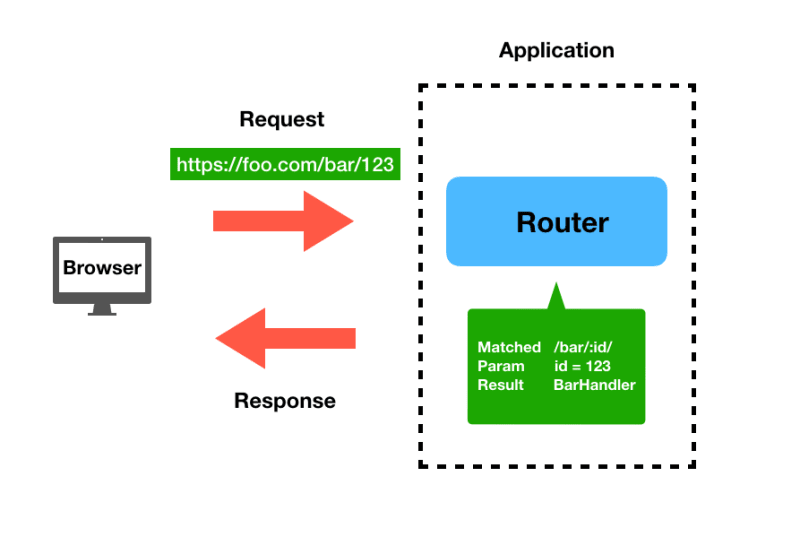
Routing is a crucial aspect of building REST APIs. It defines how your application responds to different HTTP requests and ensures that each endpoint is handled correctly. Effective routing allows you to manage how data is accessed, manipulated, and presented, making it an essential skill for developers working with RESTful services.
Key Benefits
- Control: ColdBox provides granular control over your URL routes, allowing you to design clean and intuitive API endpoints. This means you can create routes that are logically structured and easy to understand, which enhances both development and maintenance.
- Flexibility: ColdBox routing supports complex patterns and dynamic routes, allowing you to define routes that cater to a wide range of use cases. This flexibility helps build scalable APIs that evolve with your application’s needs.
- Modularization: ColdBox allows you to break your API into versions via modularity. This allows you to create a router per module for further modularization and versioning.
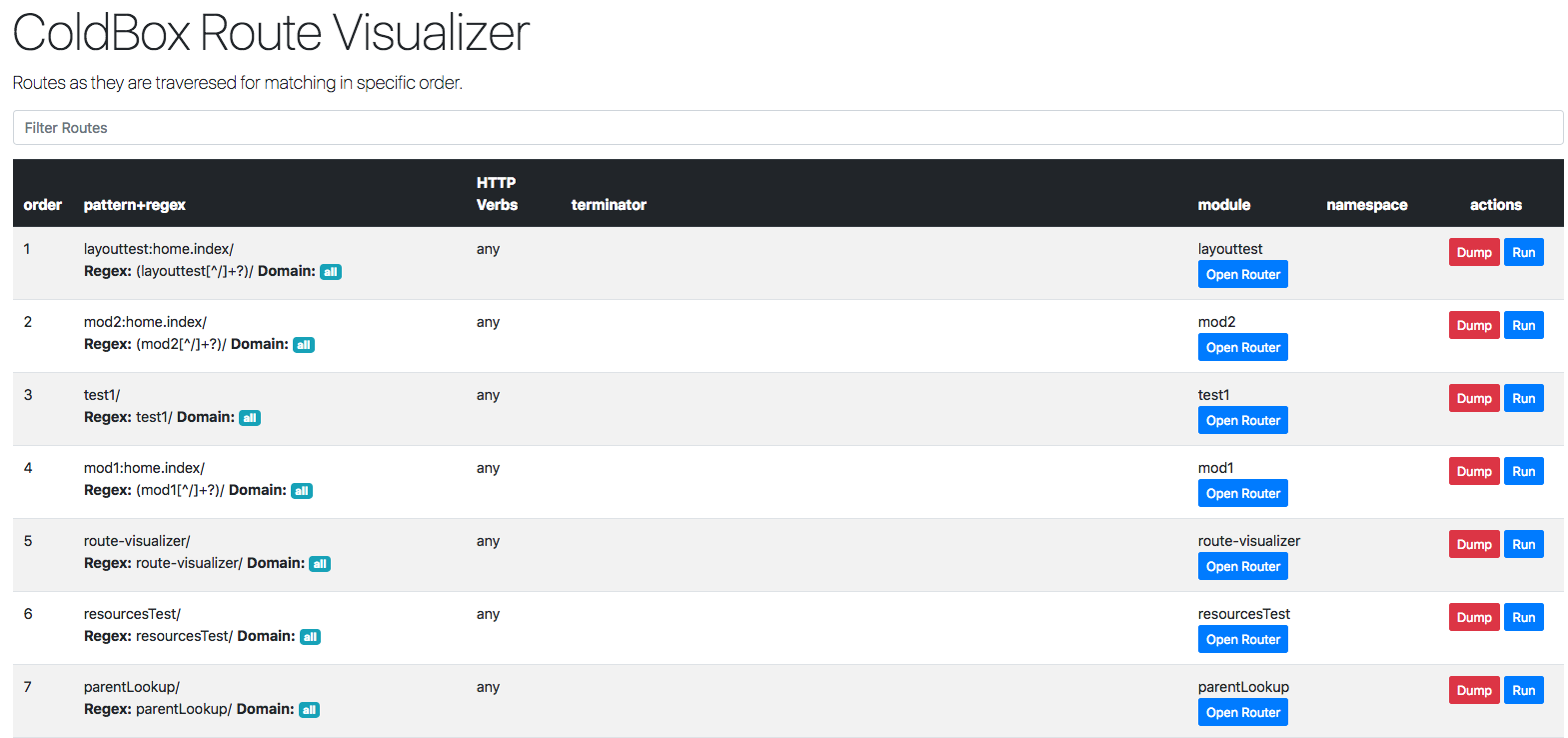
- Visualization: The route-visualizer module in ColdBox visually represents your routes. This tool simplifies route management and debugging by allowing you to see how routes are mapped and identify potential conflicts or issues.
Defining Routes in ColdBox
In ColdBox, routes are defined in the Router.cfc file. This file allows you to specify how different HTTP requests should be handled by mapping routes to specific handler actions. Here's a deeper look at some of the routing features:
-
Basic Route Definition: This maps a URL pattern to a handler and its associated actions.
route("/api/user/:userID") .withAction({ GET = 'viewUser', POST = 'createUser', PUT = 'updateUser', DELETE = 'deleteUser' }) .toHandler("api.user"); -
Dynamic Routing with Placeholders: Use placeholders to capture variable parts of the URL and pass them to handler methods.
route("/api/product/:productID") .withAction({ GET = 'getProduct', PUT = 'updateProduct' }) .toHandler("api.product"); -
Advanced Pattern Matching: Define complex routes that match specific patterns or conditions.
route("/api/order/{orderID:\d+}") .withAction({ GET = 'getOrderDetails' }) .toHandler("api.order"); -
Visualizing Routes: Utilize the route-visualizer module to generate a graphical view of your routes, making it easier to manage and troubleshoot.
// Route visualizer setup
route("/api")
    .withAction({
        GET = 'listEndpoints'
    })
    .toHandler("api.visualizer");
Dive Deeper into ColdBox Routing!
Are you looking to enhance your routing skills for ColdBox REST APIs? Do you want to build clean and efficient routes for your projects? If so, join us at our 2-day ColdBox REST API workshop before Adobe CFSummit 2024 from September 28-29, 2024 in Las Vegas, Nevada before Adobe CFSummit 2024
Take advantage of personalized training with real-world challenges and focus on solving the challenges you face in your projects. Register now and start building your own RESTful services with confidence. Limited Seats are available.





Add Your Comment